The personal archive is now even more practical
We were very pleased to see that our readers are already making extensive use of the personal archive (accessible via the user profile).
And we took this as an opportunity to improve a few things.
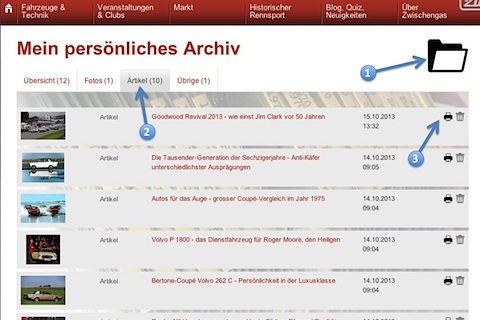
As before, articles, blogs, technical data, images, sounds, videos, magazines, brochures and all kinds of content can be "placed" in the personal archive. To do this, simply click on the folder icon (1) next to the relevant content.
In the personal archive, which can be found in the user profile, there are now four tabs (2) that show the various selected contents. The "Overview" tab shows all saved content, sorted by archive date, i.e. the newer the content, the higher up it is.
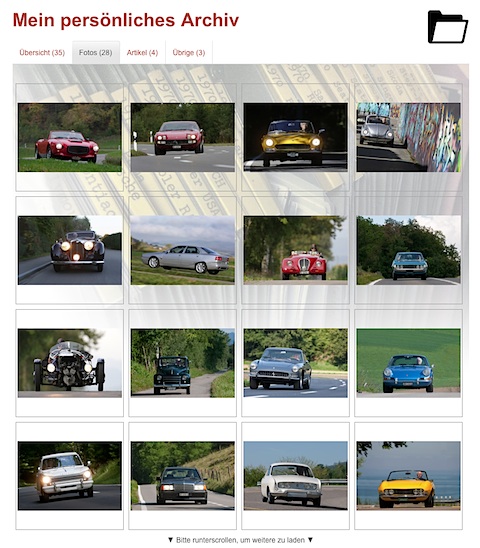
The "Photos" tab shows all images, the "Articles" tab shows all article types including blogs and the "Other" tab shows, for example, advertisements as well as magazine pages.
As before, you can delete the individual entries in the personal archive by clicking on the recycle bin symbol and, where offered, display a print preview by clicking on the printer symbol.
The individual entries in the personal archive load automatically when you scroll down.
And as a bonus, we have made the photo overview in the "Photos" tab even more attractive (see example below) and if you click on one of the images, a large view opens immediately. You can also browse through all the pictures in your personal archive in the large view.